Weekly Weather on the iPhone: Kotlin Multiplatform and a First App Store Release
- published
- · 8 min read
- tags
- #android #ios #kotlin #kmp #weather #open-source #development #claude
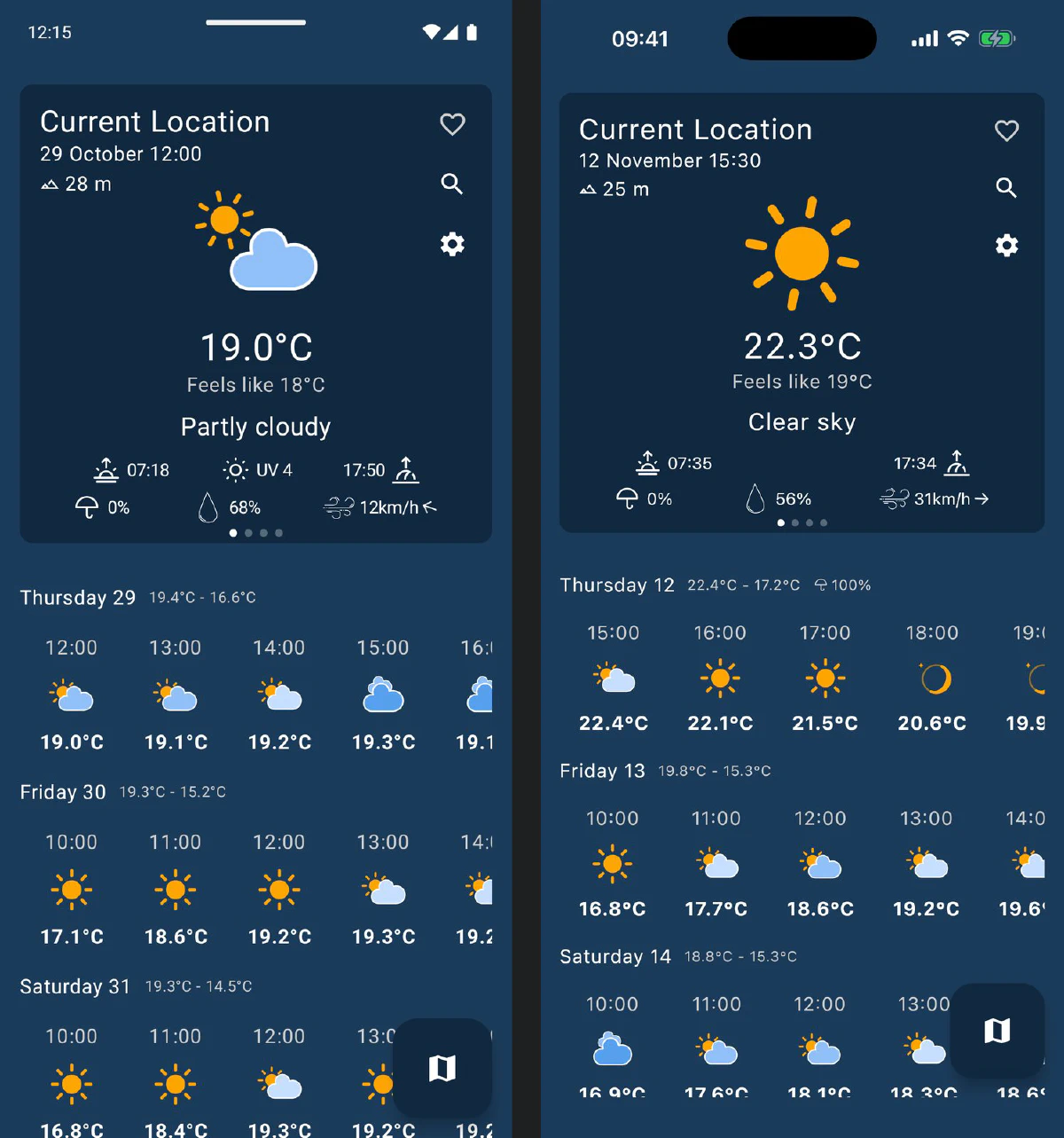
Weekly Weather has been an Android app since it started. It’s now a Kotlin Multiplatform app, with the same screens on Android, iPhone and iPad, and it’s my first app for the App Store, where it’s now in Apple’s review. The port itself took one long day, from the plan in the morning to a build on TestFlight in the evening. Getting through the App Store for the first time took the rest of it.
Why now
Gas On Route, Hyprr, FreqDroid and Tuckwall are already Kotlin Multiplatform apps with Compose Multiplatform screens. Weekly Weather was the odd one out: Jetpack Compose, Room, Retrofit and Moshi, all Android-only. It was also the one people asked me about on the iPhone. Version 4 made it the app I use most, so it was time.
The plan
Before moving any code I wrote a plan in ten phases, each one ending with the app building and the tests passing, and with Android shipping as usual throughout. Phase 0 tried the two things most likely to sink the port, before anything depended on them.
- The sky on iOS. The moon, the dark hours and the golden hours come from Astronomy Engine, 10,700 lines of Kotlin written for the JVM. It compiled for iOS after three small edits (a
String.format, asynchronizedcache and some JVM annotations). A test compares 4,340 values with the original library: identical on the JVM, and within a billionth on iOS, where Kotlin/Native’s maths library rounds differently. - The map on iOS. The map is the most Android-specific part of the app: Google Maps with the radar, rain, light-pollution and wind layers drawn into it. I didn’t want to draw every layer twice.
One map, two engines
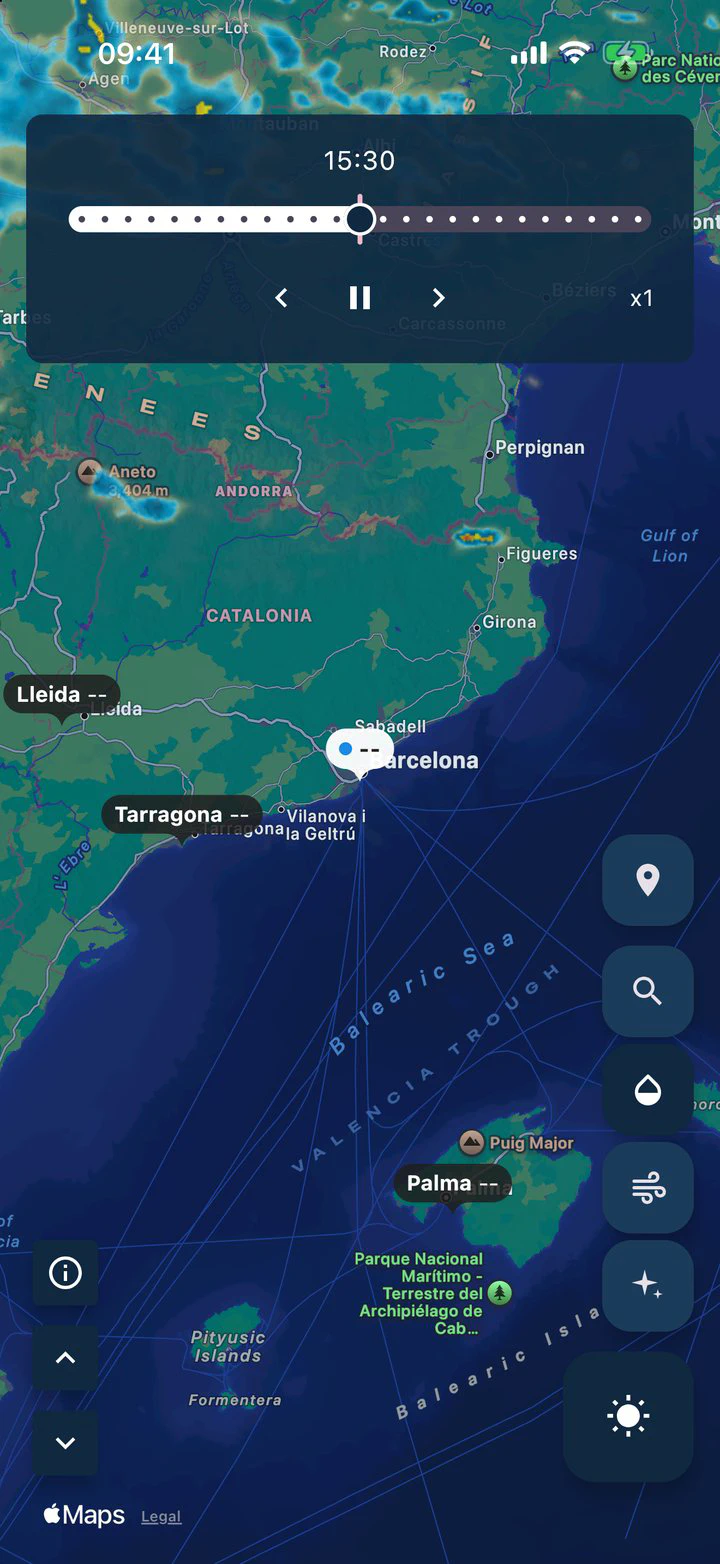
Android keeps Google Maps, so the map stays as users know it. The iPhone gets Apple’s MapKit: free, no key, and it looks right at home there. Everything the app draws on top is shared:
- Tiles come from one place. The radar, the forecast rain and the light pollution are all tiles, generated or downloaded in common code. Android hands them to Google Maps; on iOS a ten-line Swift class hands them to MapKit, because MapKit’s tile method comes from an Objective-C category, which Kotlin can’t override.
- The wind and the city labels are one Compose canvas laid over either map, through a small projection interface. The Android version used to draw the wind in a separate surface; now it’s one piece of code, and it no longer runs twice as fast on 120 Hz screens.
- The drawing had to get faster for iOS. One line per particle managed 41 frames a second in the iOS simulator. Batching all the particles into a single draw call took it to 54.
Everything else moved underneath
- Networking: Retrofit, Moshi and OkHttp became Ktor and kotlinx.serialization. The Open-Meteo request budget from 4.0 moved with it, as a Ktor plugin.
- Saved places: Room became SQLDelight, which opens Room’s database file as it is, so nobody loses their saved places when the next Android version arrives. A test checks it against a real file Room created.
- Dates: java.time became kotlinx-datetime. The one gap was finding a time zone’s next clock change, which the sky code needs around the end of October. It now steps through the hours and narrows down to the minute.
- Screens: Jetpack Compose became Compose Multiplatform, with the same MVI ViewModels and the same navigation library, now in its multiplatform version. All 35 languages are Compose resources shared by both platforms.
- Crash reports and usage stats: Sentry’s Kotlin Multiplatform SDK reports to my GlitchTip server from both platforms, with the same scrubbing of coordinates and place names, and UmamiLib counts screens on both, behind the same switch in Settings.
Today 234 shared Kotlin files hold nearly all of the app, Astronomy Engine included. What’s left for each platform is small: about 600 lines of Kotlin for Android, about 1,000 for iOS (location, the map engine, PNG encoding and the bridge to Swift) and 165 lines of Swift. Of the app’s 300-odd unit tests, 291 also run on the iOS simulator.
A native shell
The first iOS build ran the whole app as one Compose screen. It worked, but it didn’t feel like an iPhone app: no swipe from the edge to go back, no system transitions. So the iOS app is a small SwiftUI shell around the shared screens. A navigation stack holds the forecast, and its buttons push Settings, with Apple’s own navigation bar, and the map, full screen as in Apple Maps. Each screen is its own view controller with its own ViewModels.
The fiddliest bug of the day was there. Keeping swipe-back working on the map, which hides the navigation bar, first meant making the whole navigation controller the gesture delegate. That also took over the system’s other gestures: the first tap after a launch or a screen change did nothing, and the second reached the next screen too, so the map sometimes closed itself as it opened. The fix was a delegate for the swipe-back gesture alone.
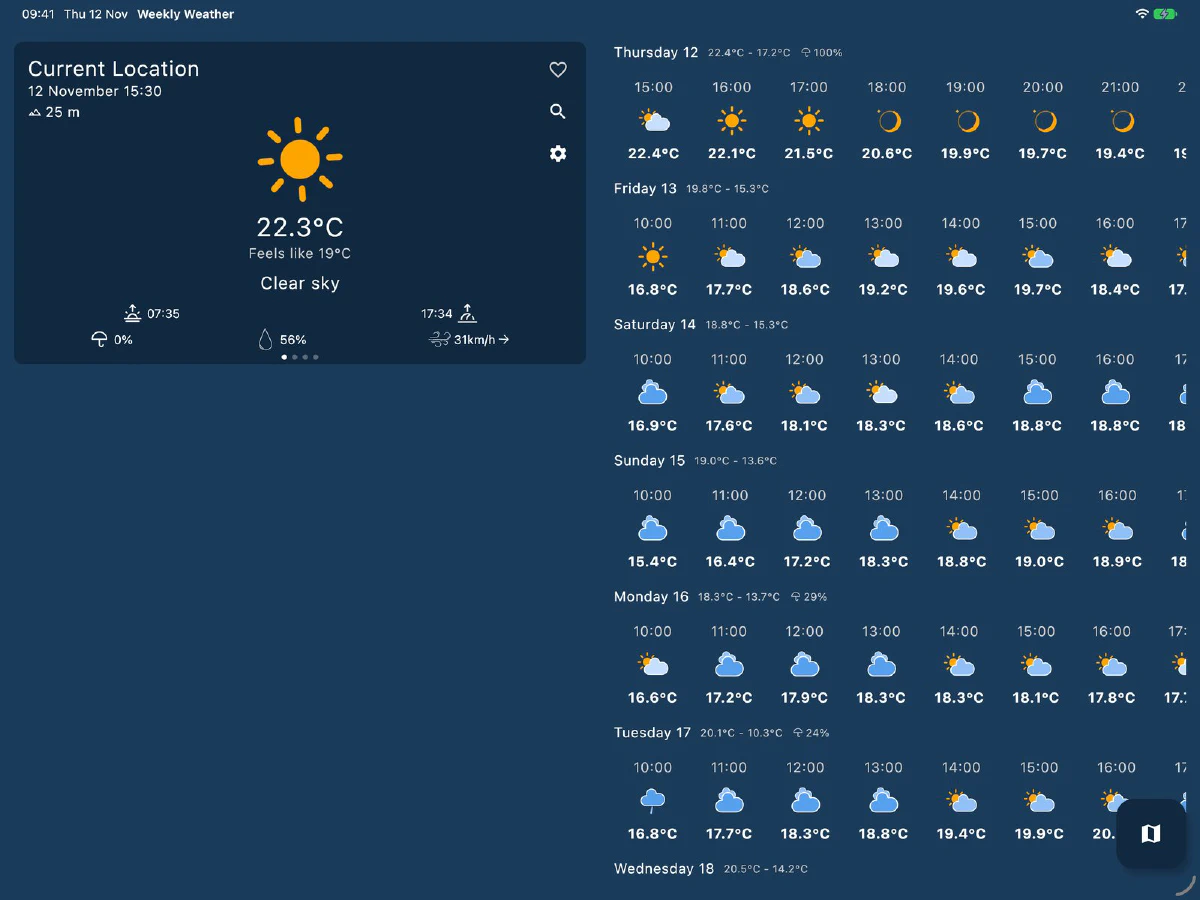
On the iPad, the app uses the same tablet layout as on Android tablets, with the card beside the rows.
The iPhone Duo
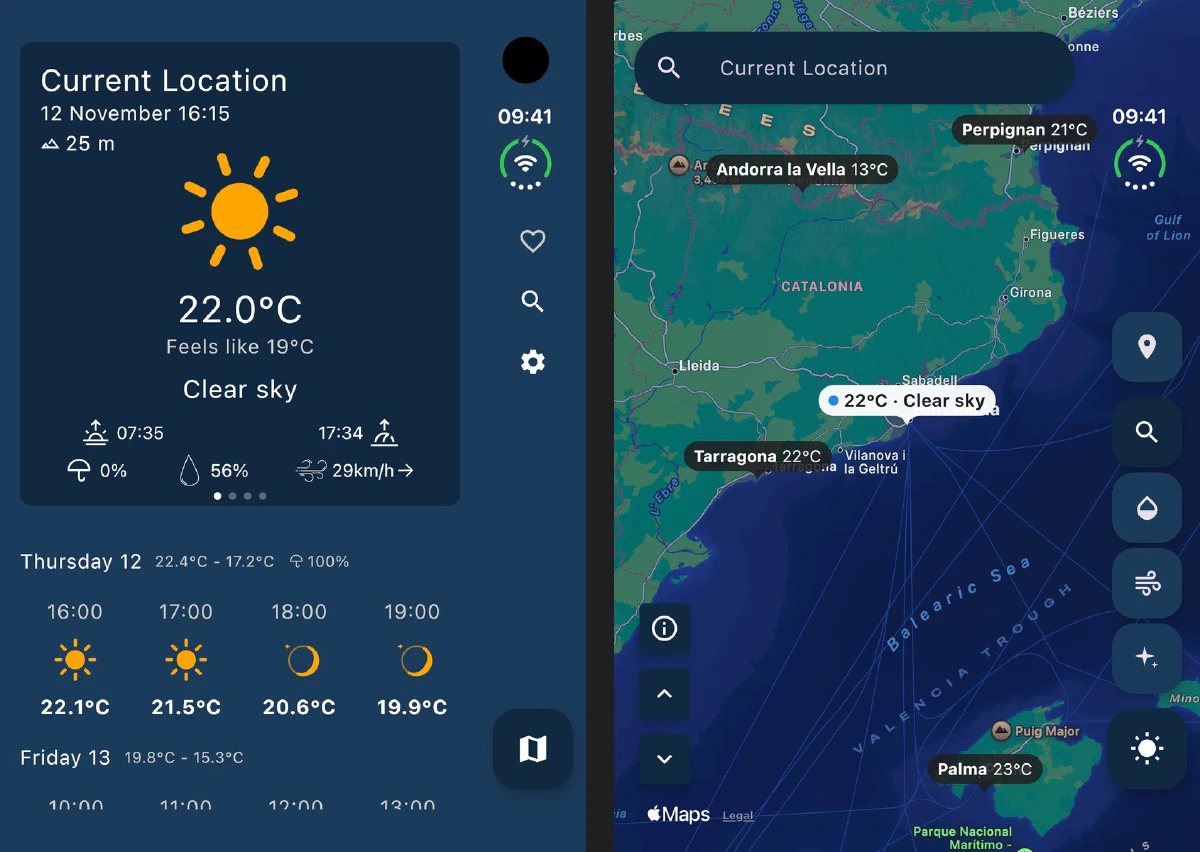
Apple’s foldable has an outer screen with the status bar running down a column on the right. Taking the App Store screenshots, I noticed that column sat empty beside the forecast while the app’s buttons covered the card. So on the Duo’s outer screen, the save, search and settings buttons sit at the top of the column under the clock, the map button at the bottom, and on the map, the layer buttons run down it. Nothing changes anywhere else: the app looks for a portrait screen with a wide safe area on the right, and only the Duo has one.
A first App Store release
I’ve published to Google Play for years, and the App Store turned out to be a different kind of work.
- The name was taken. Another app already uses “Weekly Weather” in the US store, and App Store names are unique per language. The app’s primary language is British English, so it has no US English listing; the US store shows the British one. The store text is in 30 languages, translated from the Play listing.
- Signing needs a device. I automate releases with an App Store Connect API key, but that key can upload builds and can’t create the certificate that signs them. Signing goes through my Apple ID in Xcode instead, and that needs at least one registered device on the account. I don’t have an iPhone, so the Mac it runs on is the registered device.
- A 43 MB debug file. iOS crash reports need the build’s debug symbols to show where in the code a crash happened. Mine came to 43 MB, and the GlitchTip version I was running could only put together files that fit in one 32 MB upload chunk. I upgraded the server to GlitchTip 7, and the symbols now upload with every TestFlight build.
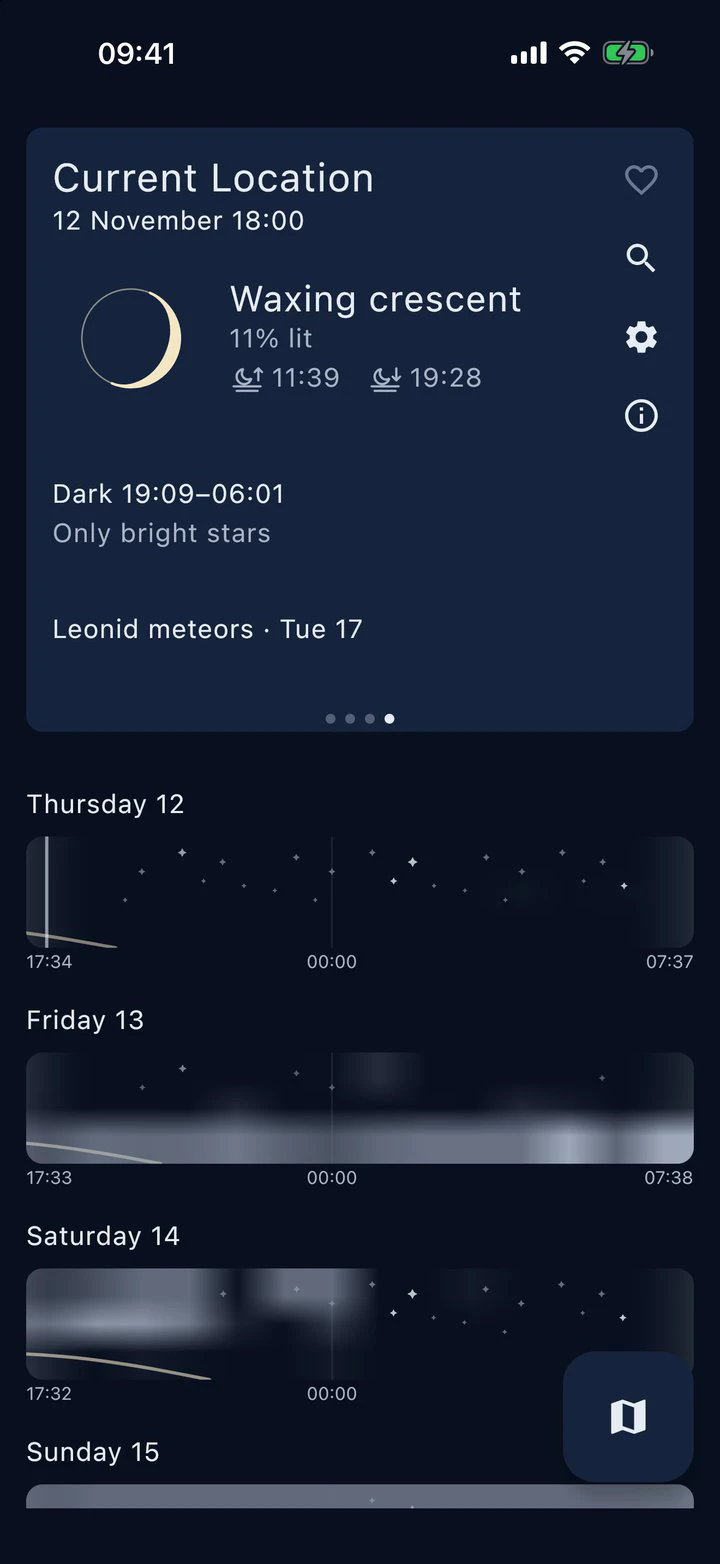
- Screenshots for three kinds of device: the 6.9" iPhone, the 13" iPad and the iPhone Duo, all taken in the simulators with the clock at 9:41, then stripped of their transparency, which App Store Connect rejects.
The release runs through fastlane like the Play one: one command puts a build on TestFlight and its debug symbols on GlitchTip, and another sends the store text and screenshots and submits the build for review. The App Store lanes live next to my Play ones, so the next app on the App Store starts from them.
Privacy
The iPhone app works the same as the Android one: no accounts, no ads, your saved places and settings on your phone, anonymous usage stats you can turn off, and crash reports that never carry a location. Two things differ. On the iPhone your location comes from Apple’s Core Location instead of Google Play services, and the map comes from Apple Maps instead of Google Maps. The privacy policy now covers both, and the App Store’s privacy answers say the same as Google Play’s.
What’s still to do
- Android’s turn. The Android app on Google Play is still 4.2.4 from before the port. The next Android release is the Kotlin Multiplatform app, with the same code as the iPhone.
- Places from other apps. Sharing a place from Google Maps or Organic Maps, or opening a location link, is Android-only for now. On iOS it needs a share extension.
- A real iPhone. Everything was tested in the simulators, so the wind animation’s speed on a real phone is the number I’m waiting for.
Built with Claude Code
Like 4.0, this was built with Claude Code. I made the decisions: Google Maps and MapKit instead of one map for both, a native shell, no tab bar, what the Duo should do with its column. Claude wrote the plan with me and did the porting, with several sessions working on different modules at the same time, each merged when its tests passed. It drove the simulators for the screenshots and walked me through App Store Connect in the browser panel, one form at a time, while I clicked the buttons that needed my Apple ID.
Try it
Weekly Weather is free on Google Play, and the iPhone and iPad version follows on the App Store as soon as Apple’s review is through. It’s open source under the MIT licence on git.codeskraps.com. The project page has more screenshots.