sBrowser 5.0: Rebuilding a Small Browser for Today's Web
- tags
- #Android #Kotlin #Webview #Development #Open-Source
- published
- reading time
- 7 minutes
sBrowser started life as a teaching app for a workshop at 091 Labs: a WebView, an address bar and a few buttons. It grew bookmarks, an ad blocker and a video player over the years, was rewritten in Kotlin and Jetpack Compose in January 2024 (3.x), and 4.4 shipped in March this year. When Google Play’s new rule to target Android 16 (API 36) came due, I sat down to bump a number and ended up rebuilding most of it. sBrowser 5.0 went to Google Play for review today.
What was wrong with 4.x
The honest answer is: a lot of the web didn’t work. Not because WebView can’t handle it, but because of how sBrowser set it up.
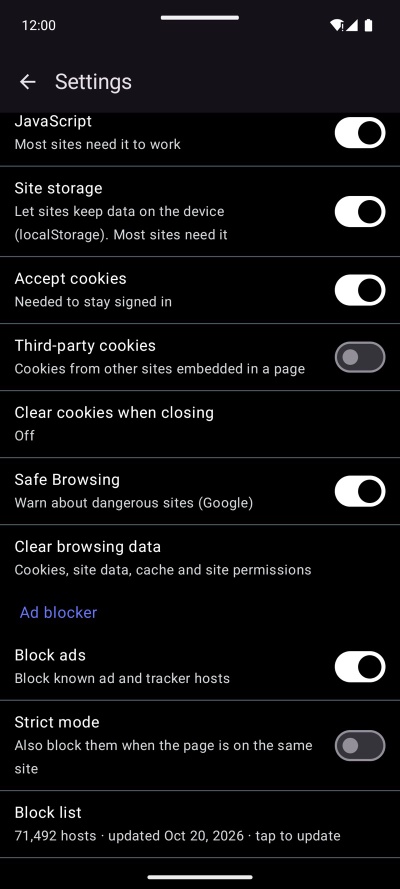
- JavaScript storage and cookies were off by default. Most sites today need DOM storage to render at all, and cookies to keep you signed in. 5.0 turns them on, and a settings migration resets the old defaults for people who never touched them.
http://pages failed. WithoutusesCleartextTraffic, Android refuses plain HTTP withERR_CLEARTEXT_NOT_PERMITTED. Plenty of small sites, and every router admin page, still live there.- Full-height overlays vanished. Compose’s
AndroidViewgives the WebViewwrap_content, and WebView then sizes the page’s viewport to zero. Everyheight: 100%and100vhbecame 0, so cookie banners, age-confirmation screens and whole layouts simply weren’t there. One line,MATCH_PARENT, fixed it. - Menus and dialogs didn’t open.
<select>pop-ups, JavaScriptalert()s and autofill need an Activity, and the WebView was created on the Application context. 5.0 creates it on aMutableContextWrapperand swaps the Activity in while the browser is on screen, so the WebView never leaks it. - A crashed page took the app with it. When WebView’s renderer dies, Android kills the app unless you handle
onRenderProcessGone. Now the tab gets a fresh WebView and reloads once. - The user agents were frozen at Chrome 121, which some sites now refuse.
And one I’m not proud of: 4.x’s usage statistics included the pages you visited. 5.0 doesn’t. More on that below.
What’s new
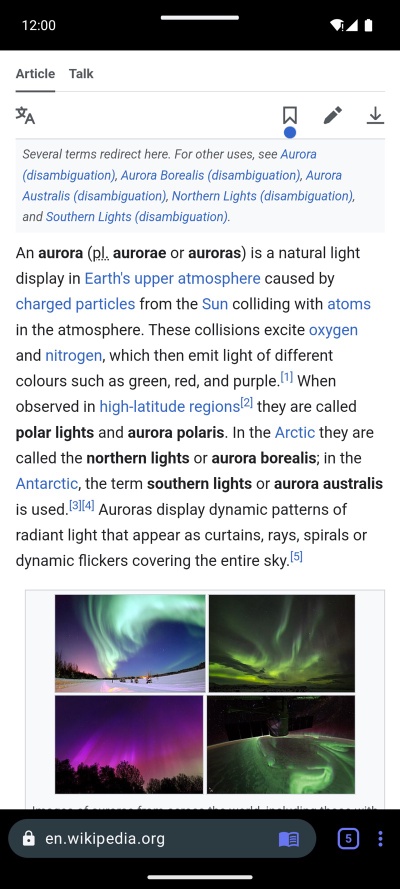
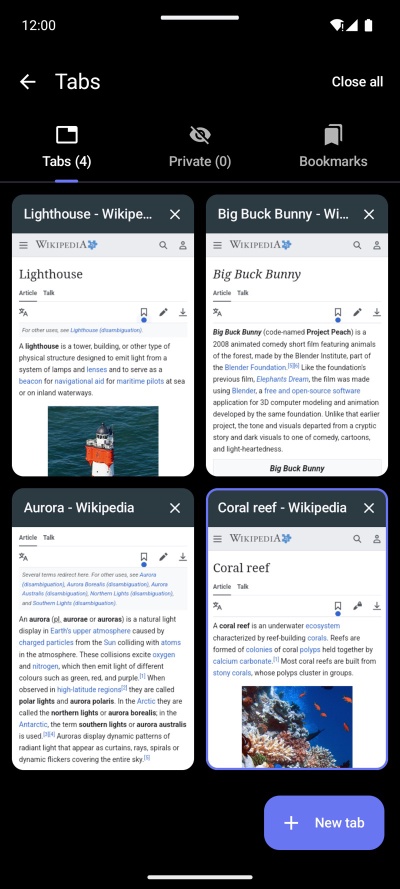
Tabs. sBrowser finally has them, kept when you close the app. Links that open a new window open a new tab, and Back on a tab with no history closes it and returns you to the one that opened it. Only the four most recently used tabs keep a live WebView; the rest save their state and come back when you open them.
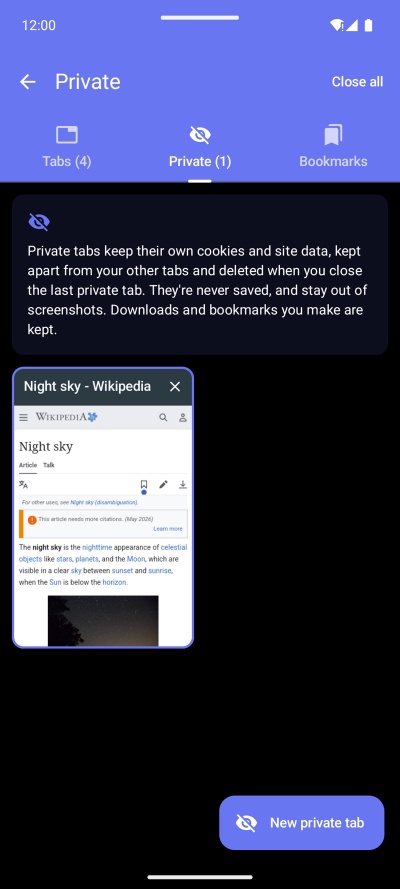
Private tabs. Each private session gets its own WebView profile: separate cookies, storage and cache, deleted as soon as you close the last private tab. They’re never saved, stay out of screenshots and the recent-apps preview, and have their own answers for camera, microphone and location. The UI turns the app’s blue so you always know where you are.
A classic address bar, at the top or bottom, with the site’s name, a lock, the tabs button and a ⋮ menu with home, back, forward, reload, share, find in page, desktop site and background playback. It slides away while you read and comes back as soon as you scroll up.
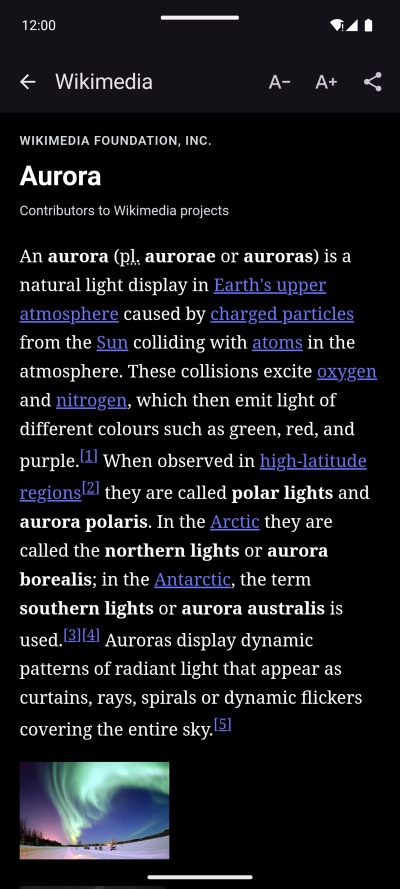
Reader view. When a page looks like an article, a book icon appears in the address bar. Tap it for clean text at the size you like, using Mozilla’s Readability, the same library behind Firefox’s reader view. If the article sits behind a paywall, reader view looks for its full text: first in the page’s own structured data, then at wallhop.io, the Wayback Machine and archive.today, and shows the fullest copy that actually reads like an article.
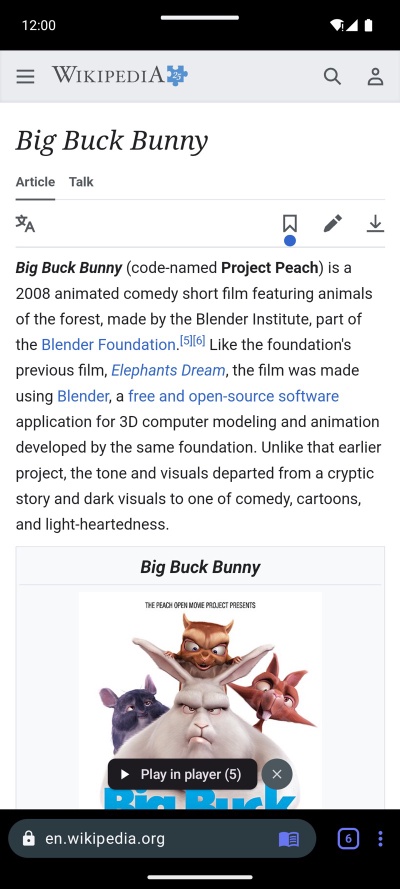
Video. “Play in player” picks up the videos on a page, including HLS and DASH streams, and plays them in a Media3 player with their length and next/previous for pages with several. Background playback keeps a page’s audio going with the screen off, with lock-screen, headphone and Bluetooth controls.
The rest: downloads (including the blob: ones that Android’s DownloadManager can’t fetch), file uploads, fullscreen video, a long-press menu for links and images, pull to refresh, light/dark/system theme, a choice of Google, DuckDuckGo, Bing, Startpage or Ecosia, Clear browsing data, and an ad blocker on StevenBlack’s hosts list, which now updates itself weekly instead of shipping frozen in the APK.
Things that were harder than they looked
A browser is mostly other people’s pages, so most of the work was finding out what pages expect.
- Desktop site isn’t just a user agent. Swapping in a Windows user agent made most sites switch, but Google’s didn’t: they read client hints (
Sec-CH-UA-Mobile,navigator.userAgentData), and WebView kept telling them “Android, mobile”.WebSettingsCompat.setUserAgentMetadatafixes that. Responsive pages also need a desktop-wide viewport, so a small script rewrites theirwidth=device-widthto 1024. - Pages follow the app’s theme, not Compose’s. WebView decides
prefers-color-schemefrom the Activity’s Android theme. A dark mode that only changes Compose’s colours leaves every page light, so the theme setting changes the app’s configuration:UiModeManager.setApplicationNightModeon Android 12+, a configuration override on older versions. - A hiding top bar fights your finger. When the bar at the top slides away, the page moves up under a finger that’s still dragging, which looks exactly like a scroll back, so the bar came straight back. And near the top of a page the same move turned the rest of the drag into pull-to-refresh. The bars now toggle at most once per drag, and only once the page is scrolled past their own height.
- Archives keep the paywall too. Hard paywalls are served from the server, so the Wayback Machine’s copies of them are the same teaser. Worse, archives happily store bot-check and sign-up pages, and Readability will make an “article” out of anything. A copy only wins if it has real paragraphs, a low link density and clearly more text than the live page.
- Settings had to survive. 5.0 reads the same SharedPreferences keys as 3.x (including
pref_clear_coolies, typo and all) and the samebookmarks.dbthat Room created, now through SQLDelight, so nobody loses their bookmarks.
How it’s built
The layout is the one I use for Gas On Route and Hyprr: :domain with the models and interfaces, :core:local, :core:remote and :core:analytics behind them, and a feature module per screen (browser, hub, reader, settings, video), with Voyager for navigation and Koin for DI. Unlike those two it’s Android-only: a browser built on Android’s WebView and a media foreground service has nothing to share with iOS.
4.4 was one module with 62 Kotlin files. 5.0 has 109, 22 of them tests for the logic that’s easy to get wrong: URL parsing, the ad blocker, download file names, the paywall heuristics and the bar’s scroll behaviour.
It also has a new face. The logo is the same “sB” as always, now drawn as monoline strokes with an open ring around it. One Python script writes the launcher icons, the animated splash screen, the loading spinner’s paths and the Play Store graphics from the same geometry.
Privacy
sBrowser keeps no browsing history. Bookmarks, tabs, settings, cookies and downloads stay on your phone.
It does send anonymous usage statistics to my own Umami server: which screens and features get used, never which pages. 4.x sent the page addresses too, and that’s gone in 5.0. The only other requests sBrowser makes on its own are the weekly ad-block list download, and, when you open a paywalled article in reader view, the article’s address to wallhop.io and the archives (you can turn that off in Settings). The privacy policy lists every event.
Built with Claude Code
Like Gas On Route and Hyprr, 5.0 was built in close collaboration with Claude Code. I set the direction, tried every build on my phone and decided what stayed; it did much of the typing, chased each “this site doesn’t work” down to its cause, wrote the tests, drove emulators for the store screenshots and filled in the Play Console paperwork.
Try it
sBrowser 5.0 is on Google Play, rolling out gradually once Google has reviewed it. It’s free, with no ads and no account. The source is on my Git server under the MIT licence.